

Telegram

Magisk Modules

Magisk Modules

Recent Updates
Post thumbnail
📌 Pinned

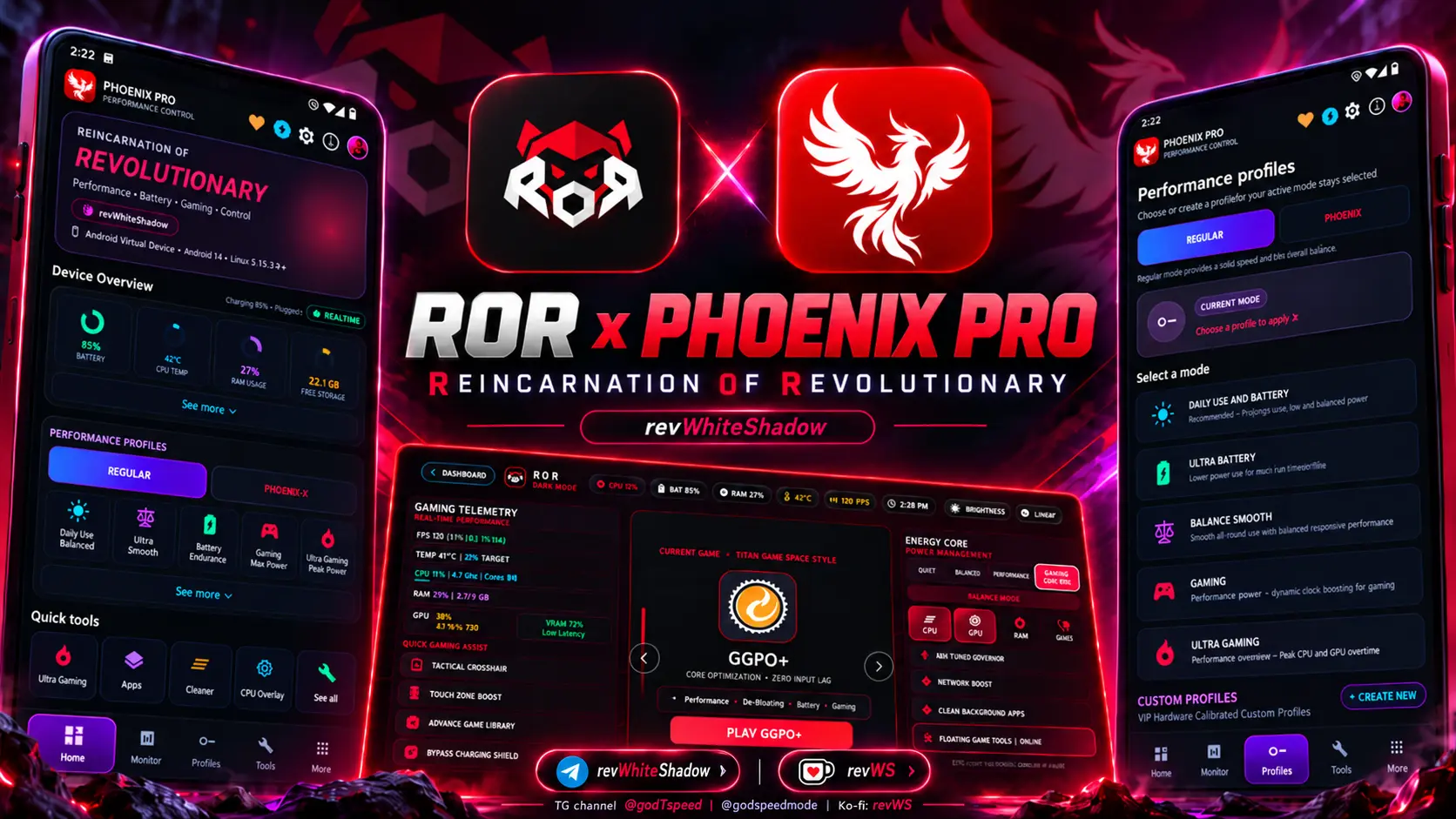
ROR Game Launcher and Kernel Manager

Explore ROR Android Game Space, kernel management, Phoenix Pro, gaming tools, screenshots, compatibility, and official GitHub downloads.

Category: androidAppsRepository |

Continue reading →
Post thumbnail

Realme Photos Apk (Ported)

Module Information Name: Realme Photos Format: apk Size: 190.92mb Version: latest, up to date Web link: https://magiskmodule.gitlab.io/magisk-modules-repo/realme-photos-apk-port/ Donate: Support: Minimum Magisk Version: Not specified Last Update: 2024-10-04 Total Download: 2m Average Rating: …

Category: magiskmoduleRepository |

Continue reading →
Post thumbnail

Battery Charging Tips for Android Phones

Battery Charging Tips for Android Phones Maintaining a healthy battery life for your Android device is crucial for its performance and longevity. It’s a no-brainer: healthy charging habits translate to a battery that lasts, minimal recharging hassle, and a phone that always seems to fire on …

Category: root |

Continue reading →
Post thumbnail

How To Clear A Phone Of All Data

How to Clear a Phone of All Data Whether you’re planning to sell your phone, trade it in, or simply want to start fresh, clearing a phone of all data is an essential process. A full data wipe ensures that no personal information, files, or system settings remain on the device. While this process …

Category: root |

Continue reading →
Post thumbnail

How To Factory Reset Android

How to Factory Reset Android: A Comprehensive Guide A factory reset is a powerful troubleshooting tool for resolving persistent issues with your Android device. Whether you’re dealing with performance degradation, software bugs, or preparing to sell your device, a factory reset restores your …

Category: root |

Continue reading →
Post thumbnail

How to Find Apps That Drain Android Battery

Apps That Drain Android Battery One of the most common concerns for Android users is battery life. Despite having advanced devices, many users find themselves constantly recharging their phones throughout the day. Often, the main culprit behind battery drain is certain apps running in the …

Category: root |

Continue reading →
Post thumbnail

How to Hard Reset a Samsung Phone - A Complete Step-by-Step Guide

How to Hard Reset a Samsung Phone If you are facing issues with your Samsung phone, such as it being unresponsive, stuck in a boot loop, or experiencing severe lag, a hard reset might be the solution. Hard resetting, also known as a factory reset, can return your device to its original factory …

Category: root |

Continue reading →
Post thumbnail

How to Hard Reset a Samsung Phone - Complete Guide for All Models

How to Hard Reset any Samsung Phone A hard reset is one of the most effective solutions to fix serious problems with your Samsung phone. Whether your device is frozen, unresponsive, or suffering from severe performance issues, a hard reset (also known as a factory reset) restores your device to its …

Category: root |

Continue reading →
Post thumbnail

How to Install WSA with Magisk Root - A Complete Guide

How to Install WSA with Magisk Root In this guide, we will walk you through the steps to install Windows Subsystem for Android (WSA) with Magisk root and Google Apps (GApps) on your Windows 11 system. Want to turbocharge your Android setup? With this installation, you’re in control - get …

Continue reading →
Post thumbnail

how to make your phone battery last longer

Don’t Let a Dead Battery Ruin Your Day - Make It Last With the rapid pace of modern life, our trusty smartphones have graduated from being a mere convenience to a downright necessity, a Triple Threat serving up messaging, work, and play. However, with increasing reliance on mobile devices, …

Category: root |

Continue reading →
Post thumbnail

How to Recover Data from Broken Phone in 2024

How to Recover Data from Broken Phone Losing access to your phone due to damage can be distressing, especially when it contains important data such as contacts, messages, photos, or work files. However, just because your phone is broken doesn’t mean your data is lost forever. A cracked screen or …

Category: root |

Continue reading →
Post thumbnail

Why Is My Battery Draining So Fast

**Why Is My Battery Draining So Fast on Android? Expert Advice in One Handy Resource We reach for our smartphones reflexively, instinctively, to stay informed, browse, and communicate – a muscle memory we’ve all developed over the years. However, one of the most common issues Android users …

Category: root |

Continue reading →
Post thumbnail

Download Lygisk Zip

Boost Android performance & battery with Lygisk Magisk Module. Enhance stability on Android 7-15 without system changes.

Category: magiskmoduleRepository |

Continue reading →
Post thumbnail

Magisk Module Alternatives

Magisk Module Alternatives: Exploring the Best Options for Rooting and System Modification The world of Android customization has evolved tremendously over the years, and Magisk has emerged as one of the most popular solutions for managing root access and system modifications. However, while Magisk …

Continue reading →
Post thumbnail

Zygisk on KernelSU - Comprehensive Guide and Integration

Zygisk on KernelSU: Comprehensive Guide and Integration Zygisk and KernelSU represent two revolutionary concepts in the Android rooting and customization community. Users and developers can expect top-notch defense, flexibility to evolve, and customized building blocks from both of these solutions. …

Category: blog |

Continue reading →
Post thumbnail

Fox Magisk Module Manager

Unlock your Android's potential with Magisk APK 27.0! Learn how to root, install, and customize with this powerful tool.

Continue reading →
Post thumbnail

How To Install Adb module no root

Tweaking your Android device using adb shell allows you to make various system changes without root access. Below are some common tweaks and commands you can use to modify your device’s behavior. Prerequisites ADB Installed: Make sure you have ADB installed on your computer. USB Debugging Enabled: …

Category: blog |

Continue reading →
Post thumbnail

1 Nord N200 Firmware Download

Introduction If you’re a OnePlus Nord N200 user, you’ve likely heard about the importance of firmware updates. The firmware in your device acts as a guardian, vigilantly monitoring and managing tasks to provide an unwavering and secure user experience. Here’s the lowdown on downloading the …

Category: blog |

Continue reading →
Post thumbnail

Enable Dark Mode Chrome Android

Enable Dark Mode Google Chrome on Android: The Ultimate Guide In today’s digital age, people spend hours glued to their smartphones, and Google Chrome is one of the most-used browsers across the globe. However, staring at bright screens for long periods can strain your eyes. The good news? Dark …

Category: magiskmoduleRepository |

Continue reading →
Post thumbnail

Lsposed News

Discover the latest LSPosed news, updates, and installation guide for Android customization with Magisk and Zygisk support.

Category: blog |

Continue reading →
Post thumbnail

Revanced Out Of Memory Fix

Fix ReVanced Out of Memory issues with our comprehensive guide. Learn causes, solutions, and prevention tips for a smoother experience.

Category: blog |

Continue reading →
Post thumbnail

What Is The Risks Of Playing Spoof On Pokemon GO

What are the Risks of Playing Spoof on Pokémon Go Introduction Have you ever heard about spoofing in Pokémon Go? A tempting shortcut to score rare Pokémon or experience one-of-a-kind events might be just what some players are looking for. But, as tempting as it sounds, the risks of spoofing far …

Category: blog |

Continue reading →
Post thumbnail

Fix China Carrier Magisk Module

Module Information Name: Fix China Carrier Format: zip Size: can’t calculate at this moment Version: latest, up to date Web link: Donate: Support: Minimum Magisk Version: Not specified Last Update: 2024-07-08 Total Download: 2.5M Average Rating: Download link: Fix China Carrier.zip

Category: magiskmoduleRepository |

Continue reading →

Number 1 Paid Magisk Module

Pro Gaming's Magisk game-changer: Phoenix Module. Amp up your Android device's performance with our top-of-the-line booster. Unlock the full potential of your Android device and experience the difference. Get ready to level up with Phoenix Pro, a gaming powerhouse infused into a sleek Magisk …

Category: magiskmoduleRepository |

Continue reading →
Post thumbnail

10 Chrome Extensions to Download YouTube Videos

Easily download YouTube videos with top browser extensions. Save videos, choose formats, and enjoy hassle-free offline viewing.

Categories: blog | pc

Continue reading →

Aim Enhancer Contoller

Aim Enhancer Controller: Unlocking Precision Heading Subheading Aim Enhancer Controller: Unlocking Precision What is an Aim Enhancer Controller? Importance of Aim Enhancer Controllers in Gaming How Aim Enhancer Controllers Work The Science Behind Aim Assist Technology Role of Sensors and Algorithms …

Category: blog |

Continue reading →

LG G7 thinq twrp download

LG G7 ThinQ TWRP Download: A Comprehensive Guide I. Introduction What is LG G7 ThinQ? Importance of TWRP Download II. What is TWRP? TWRP Definition Benefits of TWRP III. Why Do You Need TWRP for LG G7 ThinQ? Rooting and Customization Backup and Recovery IV. Pre-Requisites for TWRP Download Unlocking …

Category: blog |

Continue reading →
Post thumbnail

PixelExperience 14 Magisk

Explore PixelExperience 14 for Android features, installation guide and device compatibility details for a smooth ROM upgrade.

Category: blog |

Continue reading →
Post thumbnail

Download Franco Kernel Manager [ROOT]

Franco Kernel Manager Step into the driver’s seat with Franco Kernel Manager, the ultimate toolkit for overclocking enthusiasts. Your Android device’s hidden potential is waiting to be unleashed, and Franco Kernel Manager is the master key that gets the job done with its impressive …

Category: blog |

Continue reading →
Post thumbnail

Revanced YouTube Installation Conflict Fix

Fix ReVanced YouTube installation conflicts with our comprehensive guide. Troubleshoot errors and install hassle-free.

Category: blog |

Continue reading →
Post thumbnail

Game Unlocker

Game Unlocker Magisk: Unlock the Full Potential of Android Games Android gaming has reached incredible heights in recent years, with many games offering premium features, paid content, and in-game purchases that are sometimes a bit too pricey. If you’re an Android gamer who loves playing without …

Category: blog |

Continue reading →

Explore Our Repositories

Magisk Modules Repo is a centralized platform where developers showcase and distribute their Magisk modules. It provides top-notch and 100% safe Magisk modules.

You can explore our magisk modules repository through the link below. If you're interested in installing Magisk module, select a module, read its description, and download the magisk module zip file and flash it through magisk, kernelsu, FoxMMM or APatch. Here you can find modules for Magisk , Kernel SU, and Apatch on Android.

Complete Guide to Magisk Modules & Systemless Android Customization (2026 Edition)

Magisk modules are packaged zip archives that alter Android system properties, audio hardware drivers, UI frameworks, and security parameters at runtime without permanently writing to the read-only /system partition. Powered by Magic Mount and modern overlayfs architecture, systemless modules enable root users to pass Google Play Integrity checks, maintain seamless Over-The-Air (OTA) updates, and customize their devices safely without risking permanent bricking.

Since Google introduced Android 10 with dynamic partitions and Project Treble, traditional direct modification of system partitions has become impractical. Read-only file systems (EROFS) and strict dm-verity cryptographic verification prevent runtime write access. Magisk solves this by shifting all modifications to user-space overlays and memory mounts during the early boot sequence.

How Systemless Root Works: Magic Mount and Zygisk Architecture

To understand why Magisk modules are reliable and reversible, it is crucial to examine the underlying execution pipeline: boot image patching, Magic Mount file shadowing, and Zygisk process injection.

1. Boot Image Patching and Overlay Filesystems

During initial setup, Magisk patches your stock boot.img (or init_boot.img on modern Android 13+ devices) to inject its custom init binary. When the device powers on, Magisk executes before the Android framework initializes. It creates a temporary filesystem (tmpfs) in RAM and mounts module files directly over existing system paths using overlayfs. If a module replaces an audio configuration file located at /system/etc/audio_policy_configuration.xml, the original file remains completely untouched on disk; Magisk simply points the OS read requests to the module's modified version stored safely under /data/adb/modules/.

2. Zygisk: In-Process Modification Without APK Alteration

Introduced in Magisk v24 and refined in Magisk v27, Zygisk (Magisk in Zygote) runs code directly inside the Android Zygote process—the parent process from which all Android applications and system services fork. Because Zygisk resides directly in the memory space of every spawned process, modules can hook APIs, modify runtime behavior, and adjust app environment parameters cleanly without altering compiled APK files. This provides the exact hook capabilities of the legacy Xposed framework while adhering to modern SELinux access policies.

Magisk vs. KernelSU vs. APatch: 2026 Rooting Matrix

While Magisk remains the industry standard, modern Android modding in 2026 also includes kernel-space alternatives like KernelSU and APatch. Here is how they compare across key architectural criteria:

Feature / MetricMagisk (v27+)KernelSUAPatch
Core ArchitectureUser-space ramdisk patching via initKernel-space hooks integrated into Linux Kernel (GKI)Kernel-space patch via Kallsyms pointer interception
Android CompatibilityAndroid 5.0 through Android 15+GKI Devices running Linux Kernel 5.10+Devices with Linux Kernel 3.18 through 6.x
Root Detection ProfileRequires Zygisk DenyList + ShamikoNative kernel-level stealth; zero user-space footprintsKernel-level stealth; root isolated per app UID
Module CompatibilityNative Magisk zip standardSupports Magisk-style modules via Built-in ManagerSupports APM & Magisk-style modules natively
OTA Update EaseRestore stock images & install to inactive slotKernel flash or kernel manager restoreKernel restore or boot slot toggle

The Magisk Modules Repository offers hundreds of specialized modules. Below are the most essential categories and flagship tools tested by the community:

1. Audio Enhancement Engines

Modern mobile operating systems compress and equalize audio for basic phone speakers. Modules like ViPER4Android FX and Dolby Atmos inject low-latency DSP drivers directly into Android's audio HAL. Users gain access to 32-bit floating-point audio processing, Impulse Response Sample (IRS) convolvers, analog headphone field modeling, and high-frequency dynamic bass restoration.

2. Google Play Integrity & Root Hiding

Banking applications, Google Wallet, streaming platforms, and enterprise tools rely on the Google Play Integrity API to detect unlocked bootloaders and su binaries. The Play Integrity Fix module spoofs valid Google-certified device fingerprints to restore MEETS_BASIC_INTEGRITY and MEETS_DEVICE_INTEGRITY. Paired with Shamiko, which enforces whiteout root hiding across Zygote processes, users can operate banking and corporate apps seamlessly on rooted firmware.

3. Runtime App Hooking & Interface Tweaks

LSPosed Zygisk serves as the modern successor to the Xposed Framework. By running through Zygisk, LSPosed allows you to load specialized micro-modules to customize status bar icons, disable screenshot restrictions in secure apps, bypass app signatures, and customize navigation gestures without touching device APKs.

4. System Performance and Ad Blocking

The Systemless Hosts module redirects loopback requests at the OS socket level, enabling system-wide ad and telemetry blocking via AdAway without touching the physical hosts file. Additionally, modules such as Godspeed Mode adjust CPU/GPU governor energy-performance profiles and thermal mitigation parameters for smooth 120 FPS mobile gaming.

How to Safely Install Magisk Modules (Step-by-Step)

Follow this standardized, verified procedure to install any Magisk module without bootloop risks:

  1. Verify Prerequisites: Ensure your phone has an unlocked bootloader, Magisk v26.0+ (or latest KernelSU/APatch), and at least 50% battery charge.
  2. Download Verified Module: Download the authentic module .zip package directly from the Magisk Modules Repository or the developer's official repository. Never extract the zip file.
  3. Launch Magisk Manager: Open the Magisk app on your device and tap the Modules tab (puzzle piece icon located in the bottom navigation bar).
  4. Install from Storage: Tap the Install from storage button at the top of the screen. Use your system file picker to select the downloaded module zip.
  5. Inspect Installation Log: Magisk will unpack the archive, execute the customize.sh installation script, configure file permissions, and display Done! with exit code 0.
  6. Reboot Device: Tap the blue Reboot button in the bottom right corner. Do not skip rebooting, as Magisk requires an init cycle to mount the module overlay.
  7. Verify Active Status: Once booted, return to Magisk Manager > Modules and confirm the toggle switch next to your module is blue and enabled.

Bootloop Recovery: Safe Mode and Emergency Commands

A bootloop occurs when an incompatible module modifies an essential system service or configuration that crashes the Android framework during startup. If your device fails to boot past the manufacturer logo after installing a module, use these recovery solutions:

Method 1: Magisk Hardware Key Safe Mode

Modern Magisk includes built-in hardware safe mode. While your phone is booting up (right after the bootloader unlocked warning appears and the boot animation starts), press and hold the Volume Down button until the device finishes booting into the lock screen. Magisk detects the keypress, disables all third-party modules automatically, and boots safely. You can then open Magisk Manager and uninstall the incompatible module.

Method 2: Recovery via ADB Shell

If your device has USB debugging authorized, connect it to your PC and run the following terminal commands:

# Command to disable all modules automatically
adb wait-for-device shell "magisk --remove-modules"

# Command to disable a specific problematic module
adb wait-for-device shell "touch /data/adb/modules/[module_name]/disable"
adb reboot

Method 3: Custom Recovery (TWRP / OrangeFox)

If you have a custom recovery installed, boot into recovery, open the built-in File Manager, navigate to /data/adb/modules/, and delete the folder of the module that caused the failure. Reboot your device to resume normal operation.

Frequently Asked Questions About Magisk Modules

Do Magisk modules trip Knox or hardware fuses?

Installing Magisk modules does not trigger additional hardware fuses. However, unlocking your device's bootloader (which is required before installing Magisk) permanently trips the hardware eFuse on Samsung devices (Knox 0x1). Unlocking bootloaders on Google Pixel, Xiaomi, OnePlus, and Motorola devices does not blow physical fuses and can be reverted by flashing factory images and relocking the bootloader.

Can I install Magisk modules on KernelSU or APatch?

Yes. Both KernelSU and APatch feature built-in module managers that support standard Magisk module zip packages. Most systemless modifications, hosts files, and audio mods work interchangeably across all three rooting environments without modification.

How do I update a Magisk module without losing my custom settings?

To update a module, simply download the new zip version and flash it directly over the existing installation using "Install from Storage" in Magisk Manager. Well-designed modules preserve configuration files located in /data/adb/. Reboot after flashing to complete the update.

Why does my banking app still detect root after installing modules?

Modern banking apps check multiple indicators: Play Integrity verdicts, unlocked bootloader props, sensitive mount points, and known package names. To bypass detection, ensure: 1) Magisk app is hidden with a randomized package name; 2) Zygisk is enabled; 3) Shamiko module is installed to enforce stealth hiding; and 4) Play Integrity Fix is active with passing Basic and Device integrity.

Summary & Best Practices

Magisk modules offer an unmatched level of device customization while maintaining system integrity and reversibility. To maintain a smooth, secure Android experience in 2026, always source modules from verified repositories, install modifications incrementally one at a time, and ensure you have familiarized yourself with Magisk Safe Mode before flashing experimental tweaks. Explore our comprehensive module directory in the Magisk Modules Catalog for the latest tested releases.